Skip to content
iADam

Grupo MAAEL

Client case · Windows, installations and renovations · Tenerife

From the first message to the last measurement.
All in one system.

Custom software for a family business with five departments and more than 40 people: an ERP of its own that connects customer contact, quotes, the job site and invoicing from Delsol. With WhatsApp and AI that prepare the work for the team.

One platform. The whole business.
Real screenshot Real screenshot from the test environment with demo data: openings with automatic sketch, materials and recommended glass.
MAAEL 360
Real screenshot Real screenshot of the MAAEL 360 login screen.
Demo · fictional data Demo of the WhatsApp assistant: a test conversation with fictional data.
Sector
Aluminium and PVC windows, installations and renovations
Location
South of Tenerife
Scope
Custom ERP, AI and invoicing
Status
In development · first milestone 20 Nov 2026

The starting point

Five departments. Five ways of working.

Grupo MAAEL makes and installs windows, does electrical, solar and air conditioning installations, maintenance and renovations. Each department worked its own way, across WhatsApp, Excel, paper and the invoicing software.

  1. Requests in a WhatsApp group and on paper

    Requests were posted in an internal WhatsApp group and ticked off by hand. Work orders, measurement sheets and job reports were on paper, and the same data was typed several times.

  2. Excel quotes with rules only one person knew

    Aluminium quotes were calculated in Excel, with margin and labour rules only the person quoting knew. The real margin of a job was nowhere to be seen.

  3. Invoicing on its own

    Legal invoices come out of Delsol, apart from everything else. There was no joint view of what was billed, collected and outstanding across the three companies.

Read the full story

Grupo MAAEL is a family business in the south of Tenerife with more than 40 people. It works with three companies and five departments: aluminium and PVC, installations (electrical, solar and air conditioning), maintenance, renovations and office.

Each department had its own way of working, spread across a WhatsApp group, task boards, Excel sheets, paper pads and the invoicing software.

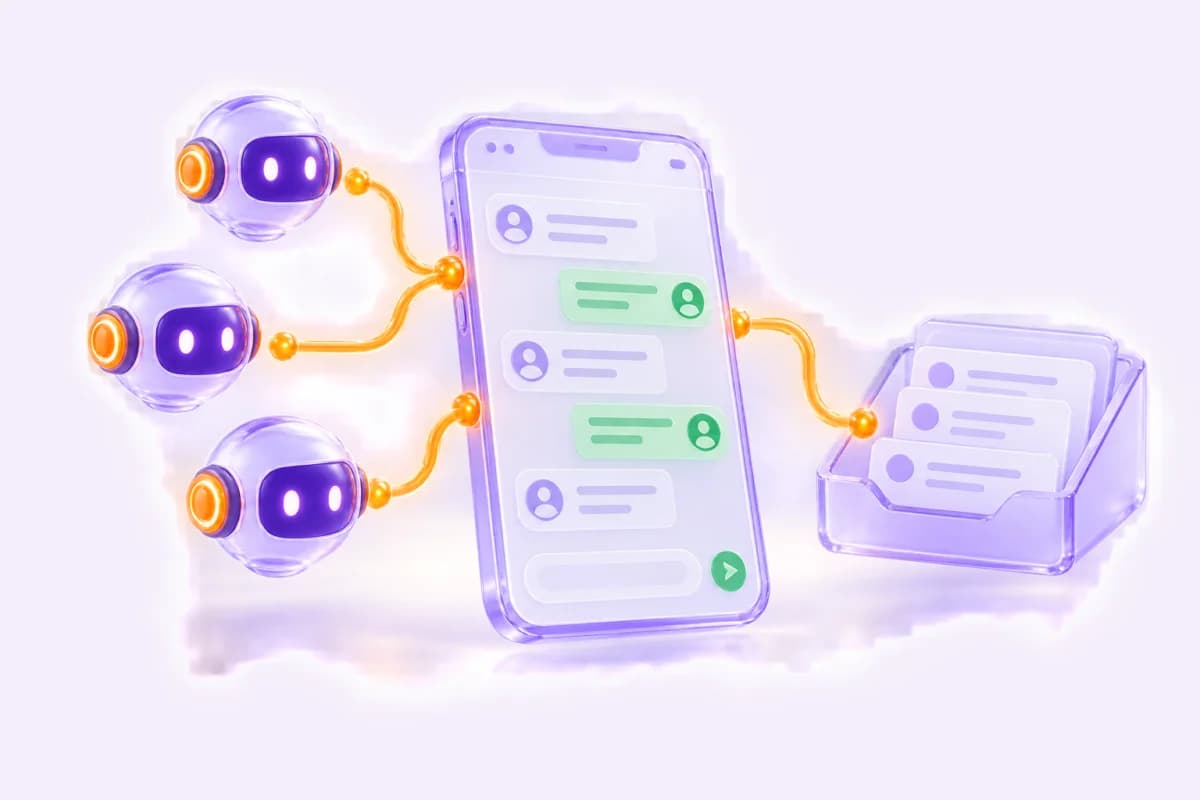
We are building MAAEL 360 for them, a platform of their own that brings everything together: from the customer's first message to the finished job, the invoice and maintenance. AI helps read what comes in, prepare drafts and answer internal questions, but decisions about money or with the customer are made by a person. It runs in a test environment today and is not in production yet.

This is how they worked, according to the material the company gave us (screenshots, voice notes, procedures and paper pads, October 2026). Customer requests were posted in an internal WhatsApp group with name, phone, address and department, and ticked off by hand once handled.

Each channel and department used its own tool: a task board for aluminium quotes, a shared message inbox and a routing program for the service team.

Aluminium quotes were calculated in an Excel sheet from the cost sheets of the profile manufacturer's software, with margin and labour rules only the person quoting knew. Ready-made PVC windows were quoted in the supplier's software, applying two different discounts to the price list by hand.

Field work was done on paper pads: work orders, measurement sheets, job reports, material orders and declarations of conformity. Legal invoices are issued in Delsol, separate from everything else.

What hurt is written in their own 12-step sales procedure. Every request needed an owner, a status and a dated next action at all times, without relying on anyone's memory. The same data was typed in several places. And the real margin of a job was nowhere to be seen.

The risk: requests or quotes without follow-up, prices that depend on one person and no joint view of what was billed, collected and outstanding across the three companies.

Process before technology. We started from the 12-step sales procedure the company wrote itself and compared it case by case with what we built: 132 cases reviewed on 11 October 2026, each with a status (done, partial, missing). Every paper form and every Excel sheet they gave us became structured data, not a free text field.

AI prepares, a person decides. No quote goes out without a person reviewing it. A discount above the company's limit needs approval. Legal invoices are still issued in their invoicing software: the platform only reads them and at most leaves drafts. Automatic WhatsApp messages are off until the company approves them.

A reusable product. The platform is built as a generic product, iADAM 360, plus a layer with what is specific to this client. Calculation rules, catalogues, document texts and the boxes on the measurement sheet are configured, not written into the code. That way it works for other companies in the sector too.

An open source ERP as the base. It already includes quotes, purchasing, stock, multiple companies and a change history, instead of building everything from scratch.

Two separate environments. In test, anything can be changed, with clearly marked demo data. Production will start empty and only with real data. In test, emails and notifications are muted: the team can be set up without receiving anything.

Paper price lists transcribed twice. Two independent transcriptions, compared number by number before loading them.

Permissions in two layers. Which modules each person sees, and within each module only the data of their own department. Technicians and external partners see what is assigned to them, without prices.

The customer journey

How we connected the whole journey.

AI prepares. The team decides.

01 · Request

Every request in one inbox.

WhatsApp and the office put every request in the same place. AI extracts the data and sorts it by department; the office assigns it.

Demo · fictional data Demo of the request inbox with fictional data.
02 · Visit

A visit with questions per type of job.

The technician adds measurements and photos to a record for each type of job. The visit payment is recorded before it is scheduled.

Demo · fictional data Demo of the visit record on a phone with fictional data.
03 · Quote

Quotes with the company's own rules.

The quote builder calculates with margin per material, working days, transport and supplier prices. A person always reviews before it is sent.

Real screenshot Real screenshot from the test environment with demo data: price by size, with the supplier price hidden.
04 · Signature

The customer signs on their phone.

The customer opens a private link, sees what is included and what is not, and accepts with their signature. Name, date and signature are recorded.

Real screenshot Real screenshot of the online quote in the test environment, with demo amounts.
05 · Job site

From paper pad to digital measurement sheet.

The work order has openings with a sketch, materials and a measurement sheet with boxes. The technician sees their day on the phone and the customer signs off on completion.

Real screenshot Real screenshot from the test environment with demo data: the digital measurement sheet in the work order.
06 · Payment

Billed, collected and outstanding in one view.

The platform reads the invoices and payments of the three companies from Delsol every hour. Legal invoices are still issued in Delsol.

Demo · fictional data Demo of the invoicing summary with fictional data.

Four areas. One connected platform.

01 · Respond and schedule

Every request with an owner and a date.

The inbox, the WhatsApp assistant and the visit record make sure every request has an owner, a status and a next action. The phone agent comes in a later milestone.

  • AI extracts the data from messages; the office decides
  • The WhatsApp assistant suggests a visit and sends the link
  • Visit record per type of job, with required photos
See how it works
  • Request intake and pipeline In development

    One inbox for what comes in via WhatsApp or what the office records, with phone and email prepared but not connected yet. AI extracts name, phone, area and what is needed, and sorts it by service and department. The office confirms, assigns and decides.

    A message comes in → AI extracts name, phone, area and need → Sorted by department → Request opened with an owner → Becomes a lead, and a customer after the first payment

  • WhatsApp AI assistant In development

    Answers on WhatsApp with the company's information, through wa.iadam.nl and the official WhatsApp API, as an official Meta Tech Provider. It records the request, checks the status of a job, suggests visit slots and sends a link to confirm the appointment. It only gives the fixed prices the company publishes, such as the visit or the first hour of a repair call, and never the price of a job. In test it runs on a temporary number, without approved Meta templates.

    The customer writes → The assistant asks for what is missing → Creates the request in the platform → Suggests a visit based on schedule and area → Sends the appointment link

  • Site visit and visit record In development

    A visit record with questions per type of job: windows, solar or renovation. Photos are required and the visit payment is recorded before it is scheduled. AI can estimate measurements from a photo to pre-qualify; the real measurement is taken by a person.

    Record created → Visit paid → Scheduled in the calendar by area → Technician adds measurements and photos → Draft quote

  • AI phone agent In development

    The platform already has the entry point for an AI phone system to log every call with its summary, department and request. No phone system is connected yet: it is a later milestone in the plan.

    Call to the phone system → Summary and department → Request in the platform
Real screenshot The Grupo MAAEL team. Photo from their website.

02 · Quote and close

From cost line to signed quote.

The quote builder calculates with the company's rules instead of an Excel sheet. The customer reads and signs the quote on their phone.

  • Margin per material, working days, transport and supplier prices
  • A discount above the limit needs approval
  • Online quote with signature and signed PDF
See how it works
  • Quote builder In development

    Calculates the quote with the company's rules: material cost, a margin factor per material type, labour in working days, transport by area and supplier shipping. It includes calculators for bars with offcut allowance, sheets and panels, supplier prices by size for insect screens, a purchase cost catalogue and import of the profile manufacturer's cost sheet. A person always reviews, and a discount above 5 % or one that pushes the margin below the minimum needs approval.

    Cost lines → Automatic calculation → Real margin with the internal cost of a working day → Review with a mandatory checklist → Sent to the customer

  • Online quote for the end customer In development

    The customer gets a private link and sees their quote on their phone: what is included and what is not, the options, validity, payment terms and the PDF. They can accept it with their signature or decline it with a reason. No AI here: acceptance is recorded with name, date and signature.

    Link → Reading → Accept and sign → Signed PDF → Deposit instructions

Illustration Illustration of what this part does.

03 · Produce and install

From paper to work on the phone.

The work order replaces the paper pad, from measurement to declaration of conformity. The technician sees their day on the phone, without prices.

  • Sketch, materials and recommended glass from the measurements
  • Clock in, job report and payment on site
  • AI writes up the report, the technician checks it
See how it works
  • Work orders, workshop and installation In development

    Replaces the paper work order. You enter the openings with their measurements, and the system draws the sketch, calculates the materials and recommends the glass build-up. The measurement sheet has boxes for locks, handles, hardware and trims, and the customer signs off on their phone. AI can read a hand sketch or a photo and suggest openings; the workshop confirms the measurements.

    Quote accepted and deposit → Work order → Final measurement → Material order → Manufacturing → Installation → Customer signature → Declaration of conformity as PDF

  • My day: technicians on their phone In development

    The technician clocks in, sees the day's jobs with addresses, writes the job report and records payment on site. They only see what is assigned to them, without prices. They can dictate the report or type it roughly; AI writes it up and the technician checks it.

    Clock in → Jobs of the day → Job report, dictated or typed and written up by AI → Customer sign-off → Report as PDF with a review QR code

Demo · fictional data Demo of My day with fictional data.

04 · Collect, control and maintain

Invoicing, after-sales and oversight in one place.

The platform reads the invoicing of the three companies, schedules maintenance and gives management a copilot. Each person only sees what is theirs to see.

  • Invoices and payments from Delsol every hour
  • Warranties, maintenance and reviews after the job
  • A copilot that cites its sources, and 8 access profiles
See how it works
  • Invoicing read from Delsol In development

    Reads the invoices, lines and payments of the three companies from their invoicing software, Delsol, every hour. It shows what was billed, collected and outstanding, the age of the debt, the detail per customer and each invoice as a PDF. Legal invoices are issued only in Delsol (VERI*FACTU): the platform does not create invoices. In test it is connected and syncing real data.

    Hourly sync → Summary per company and department → Outstanding payments → Customer record with their invoices

  • After-sales In development

    Records installed equipment with its warranty and schedules maintenance. It asks for a review when the job is finished and prepares monthly contract invoicing as drafts. Notifications go to the person responsible; automatic messages are off.

    Job installed and signed off → Review request → Maintenance scheduled → Notification when it is due

  • Management, reports and copilot In development

    A control panel with figures per department and a management report with the week on one page. The copilot answers questions in plain language, such as 'which quotes have had no reply for more than a week?'. It only uses the data that person is allowed to see, cites where each figure comes from and does not take any action.

    Question in plain language → Only the data you may see → Answer with its source

  • Users, profiles and permissions In development

    8 access profiles: manager, administrator, accounts, office, sales, workshop lead, technician and external partner. With an editable module matrix, and modules can be added or removed per person. The team is set up in test without anyone having received an email or access.

    Choose a profile → Modules per profile → Add or remove modules per person → Only the data of their own department

Illustration Illustration of what this part does.

Delivery and evolution

What already works in test. What comes next.

The scope of the project, with its status shown. Nothing is in production yet.

Real screenshot Real screenshot from the test environment: the profiles and modules matrix.
One platform. The whole business.AI prepares. The team decides.
  • In development

    Connected to Delsol and syncing in test

    All three companies connected. Invoices, lines and payments sync every hour in the test environment.

  • In development

    Quote builder with the company's rules

    Margin, labour, transport and supplier price lists, with review by a person and approval for large discounts.

View all deliverables
  • In development

    Online quote and signature

    A private link for the customer, with signature and PDF. Card payment is prepared but not switched on.

  • In development

    Work orders and My day

    Digital measurement sheet, sketch, materials and the technician's day on the phone. Works in test.

  • In development

    WhatsApp AI assistant

    Works in test on a temporary number. Automatic messages stay off until the Meta templates are approved and the company agrees.

  • In development

    Go-live by milestones

    First milestone, customer service, planned for 20 November 2026. The later modules follow until July 2027.

  • In development

    Phone agent: a later milestone

    The entry point is already in the platform. Connecting a phone system is a later milestone in the plan.

The project in numbers

5
departments in one systemaluminium and PVC, installations, maintenance, renovations and office
12
modules in developmentfrom first message to aftercare
Hourly
link with the invoicing softwareread only, invoices are issued there
0
differences when double-checking the paper price liststwo independent transcriptions compared
View all figures
8
access profileseveryone sees only what their job needs

Source: the platform test environment, October 2026. This describes how the system is built, not business results. Response time, quotes and sales: not measured yet.

Marketing · Software · Artificial intelligence

Does your business need to connect all its departments too?

Let's talk about your project
WhatsApp